Find tools quickly and safely
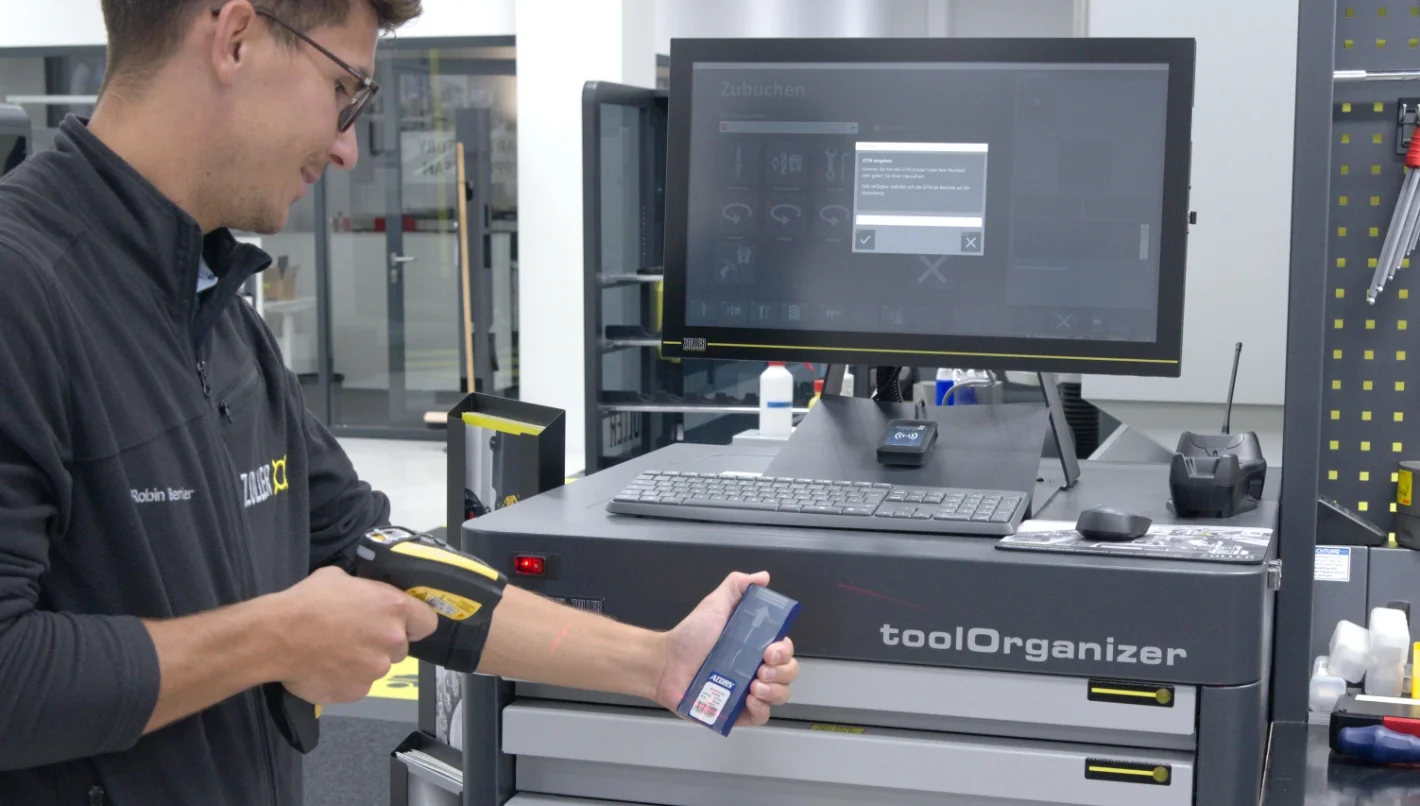
Need a tool or device to set up a machine? There are several different ways to find them.
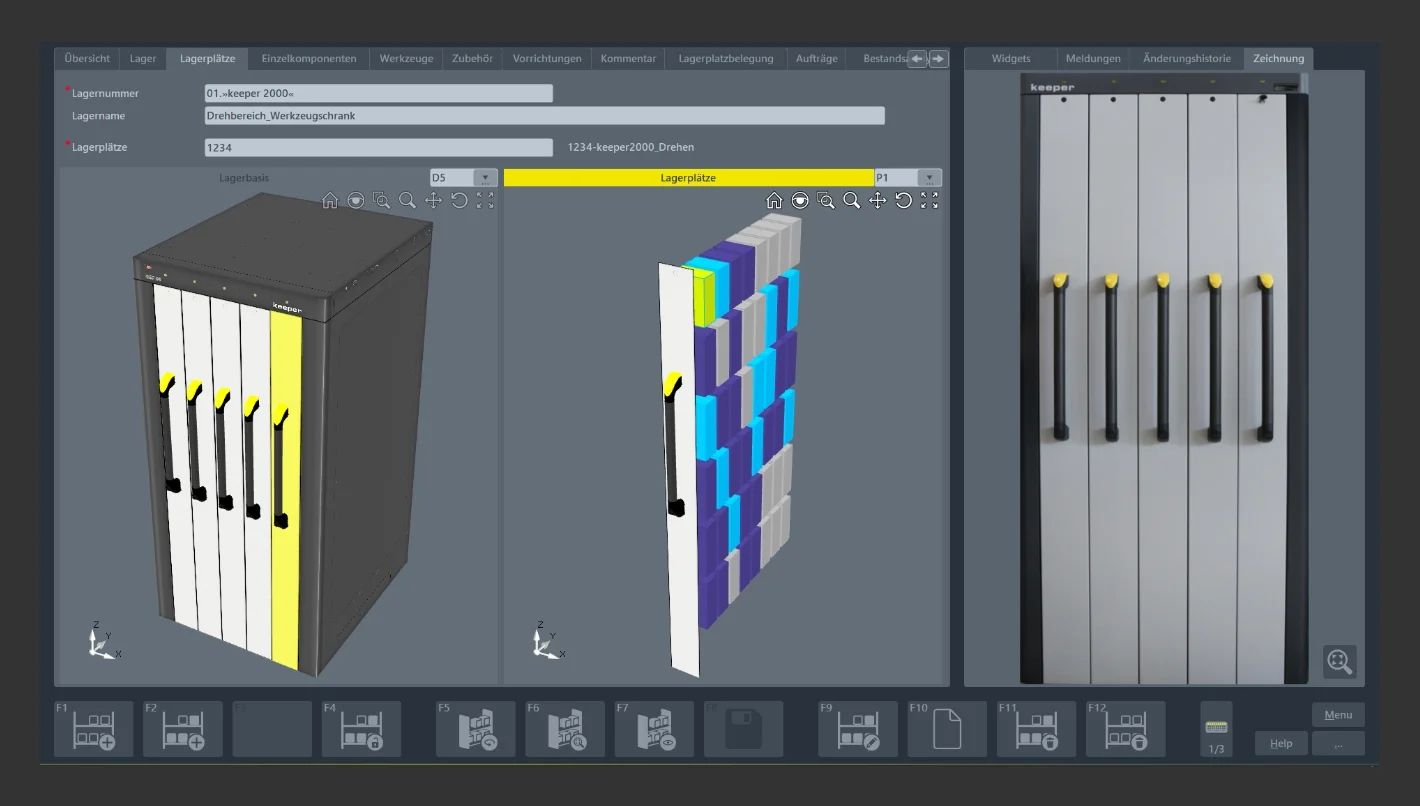
For example, one procedure is to simply enter ID codes. The software module then immediately shows the corresponding storage location using colored 3D graphics.
Warehouse staff or machine setters also have the option of searching for suitable tools in several steps, based on the machining process.
- To do this, they first receive a list on the touchscreen with detailed data and graphics on the available tools and devices. (There is also an option for measuring and operating equipment).
- Using further criteria, such as a diameter, a clamping length, or a preferred storage location, they can refine the search and narrow it down to a smaller selection.
- By using the available lists and touching the touchscreen, they can find the tools or devices required for the set-up. Several tools from a list can be selected using a key combination in the standard operating system.
When it's time to retrieve the tool, the »quickPick« software module displays 3D graphics with highlighted storage locations.
Simplify returns to the warehouse
The special "circulation" function in the »quickPick« software module significantly speeds up the process of returning tools and devices from production to the warehouse:
- The software displays lists of the tools that were previously removed from storage and used in production, so they can be quickly identified.
- Staff can select individual tools and devices or complete lists on the touchscreen.
- The software module will show the corresponding storage locations with 3D color graphics.
- Storage is confirmed by simply touching the touchscreen.
Customize tool storage for your convenience
ZOLLER software is universally designed. It provides detailed functions for a wide range of situations and work steps. And in some cases, individually adapted structures sometimes prove to be more convenient and reliable in daily practice. With that in mind, the »quickPick« software module can be easily set up to meet individual requirements and conditions.
Among other things, access rights can be assigned for selected functions and work processes. These are then only accessible to the designated personnel with the help of access identification, like passwords and RFID.
"Above all, this ensures secure work processes. Not everyone in the production plant can then, for example, remove cost-intensive tools from storage locations at will or adjust the (minimum) stock level at their own discretion," explains Bender.
Individually adjustable functions also include so-called widgets. These are programmable displays for work steps that are frequently carried out by certain people. Any sequence of activities, like the removal and re-storage of tools for assembly and adjustment, can be created individually in a widget. A single touch on the touchscreen then guides the user step-by-step through all the necessary work steps using graphics.
Because steps do not need to be called up individually, widgets make working with the »quickPick« software module considerably easier, especially for less trained personnel. Notes on activities and lists of work steps can also be created for additional support to help ensure that operators safely carry out the work processes assigned to them.
Using tool storage for transparency and profit
With the »quickPick« software module from ZOLLER, production companies work with more agility when storing and retrieving tools. The convenient and clear operator guidance with graphics on the touchscreen simplifies and speeds up work processes, so the tool cycle is transparent at all times.
"Detailed information about the stock in the warehouse and in production is always available. High-quality and cost-intensive tools, measuring and operating equipment, and devices are handled and stored correctly. This makes a significant contribution to ensuring that manufacturing companies work efficiently and economically," says Bender.




 Back to overview
