Find quickly and safely
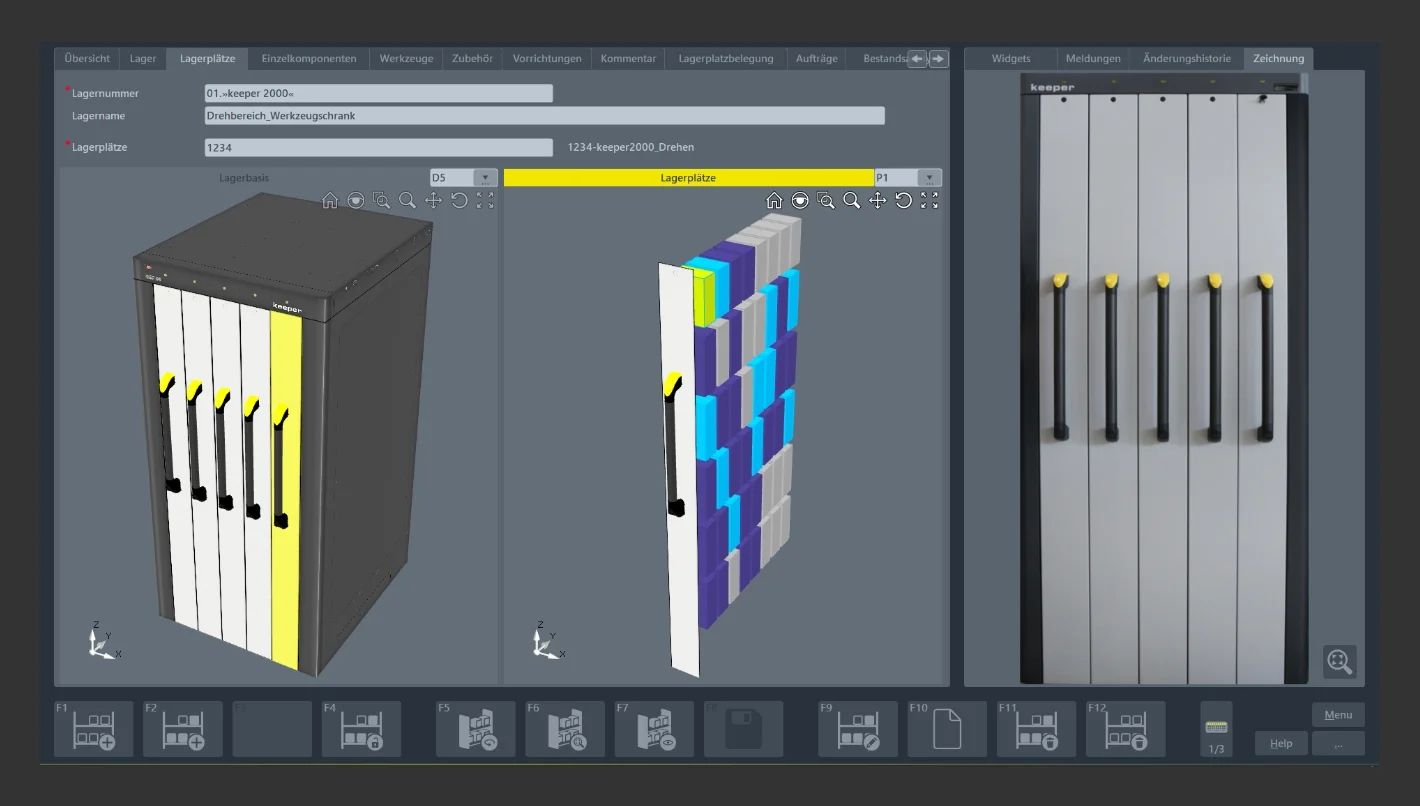
If tools and devices are required for setting up machines, they can be found and removed from the storage locations within a very short time using various selection procedures. For example, staff can simply enter ID codes. The software module then immediately shows the corresponding storage location using colored 3D graphics.
Optionally, warehouse staff or machine setters can also search for suitable tools in several steps - based on the machining process. To do this, they first receive a list on the touchscreen with detailed data and graphics on the available tools and devices (optionally also measuring and operating equipment). Using further criteria, such as a diameter, a clamping length or a preferred storage location, they can refine the search and narrow it down to a smaller selection. Using the lists presented in each case and by simply touching the touchscreen, they can quickly and reliably find the tool or suitable device required for the respective set-up. It is also possible to select several tools and devices from a list. This is done as usual in the standard operating system by selecting them with a key combination. For removal, the »quickPick« software module again displays 3D graphics with highlighted storage locations containing the required tools, measuring and operating equipment and devices.
From production safely back to the warehouse
The special "circulation" function in the »quickPick« software module significantly speeds up the process of returning tools and devices from production to the warehouse. It displays lists of the tools that were previously removed from the storage locations and used in production. This also applies to measuring and operating equipment and devices. This means they can be quickly identified. Staff can select individual tools and devices or complete lists on the touchscreen simply by touching them. The software module in turn shows the corresponding storage locations with 3D color graphics. Finally, storage simply needs to be confirmed by touching the touchscreen.
Customize individually
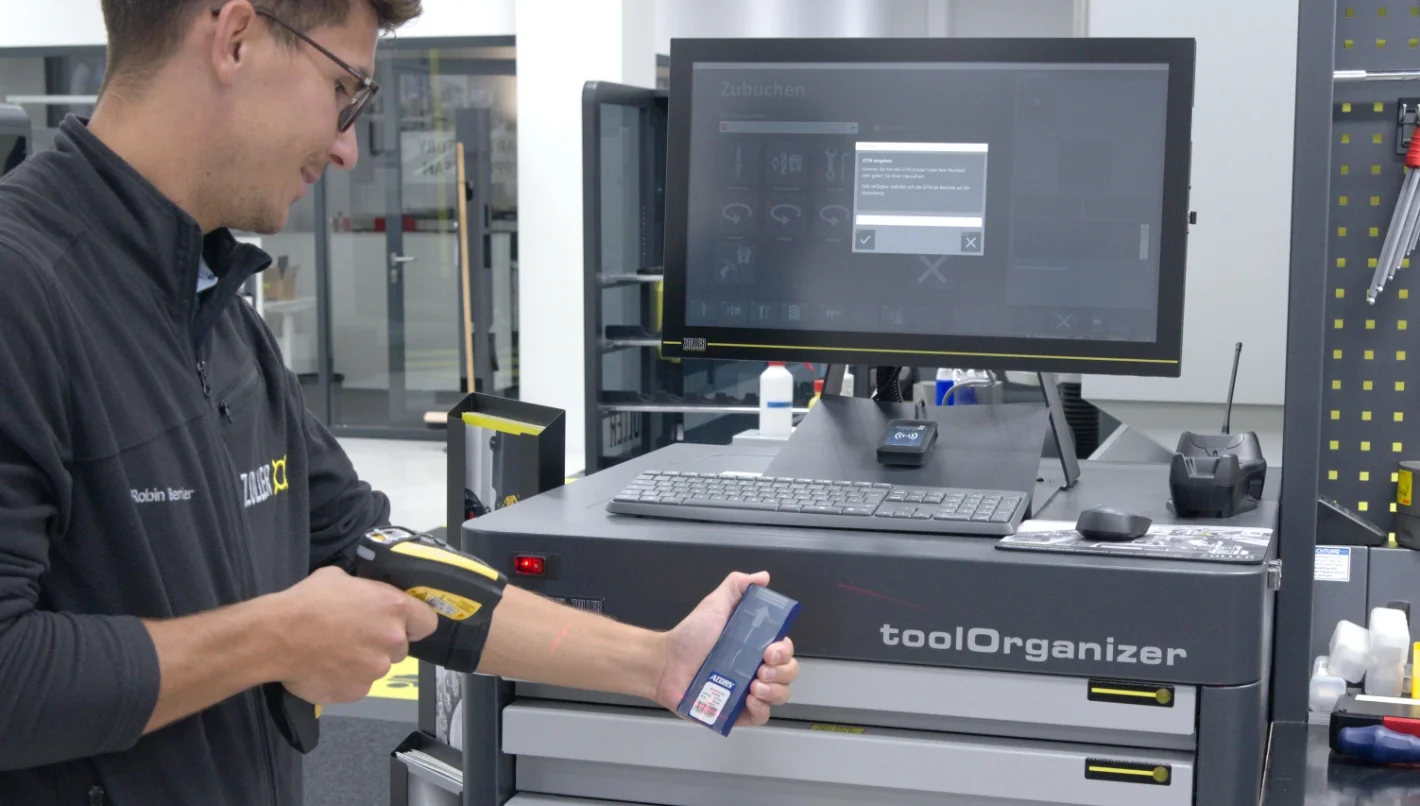
Robin Bender explains the wide-ranging benefits of the »quickPick« software module for quick and easy storage and retrieval of tools, measuring and operating equipment and devices: "Our software is universally designed. It provides suitable and detailed functions for a wide range of situations and work steps. In order to be able to work reliably and conveniently in daily practice, individually adapted structures sometimes prove to be more convenient and reliable. This is why the »quickPick« software module can be set up simply and easily to meet individual requirements and conditions."
Among other things, access rights can be assigned for selected functions and work processes. These are then only accessible to the designated personnel with the help of access identification (passwords, RFID). "Above all, this ensures secure work processes. Not everyone in the production plant can then, for example, remove cost-intensive tools from storage locations at will or adjust the (minimum) stock level at their own discretion," explains Robin Bender.
The particularly advantageous, individually adjustable functions also include so-called widgets. These are programmable displays for work steps that are frequently carried out by selected persons. Any sequence of activities, for example the removal and re-storage of tools for assembly and adjustment, can be created individually in a widget. A single touch on the touchscreen then guides the user step-by-step through all the necessary work steps using graphics. The latter do not have to be called up individually. These widgets therefore make working with the »quickPick« software module considerably easier, especially for less trained personnel. As additional support, notes on activities and lists of work steps to be carried out can be created. The individually selected information contained therein helps to ensure that operators carry out the work processes assigned to them safely and reliably.
Using tools transparently and profitably
"With the »quickPick« software module from ZOLLER, production companies work much more agilely and flexibly when storing and retrieving tools. The convenient and clear operator guidance using graphics on the touchscreen simplifies and speeds up work processes. The tool cycle is transparent at all times. "Detailed information about the stock in the warehouse and in production is always available. High-quality and cost-intensive tools, measuring and operating equipment and devices are handled and stored correctly. This makes a significant contribution to ensuring that manufacturing companies work efficiently and economically," explains Robin Bender, highlighting the benefits of the ZOLLER storage location management software module.




 Back to overview
