

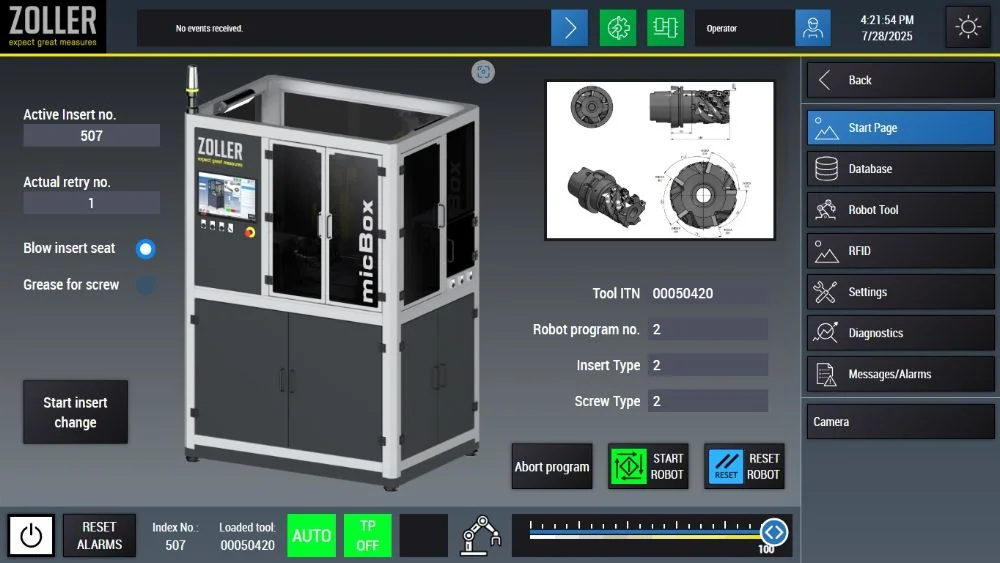
The start page shows all important information at a glance and has a clear, concise and user-friendly interface. The operator receives information on the loaded tool and the current robot status at all times, and messages worth knowing are also reliably displayed. From this central user interface, the operator can quickly navigate to all other areas within the control software. The system can be started with just one click!
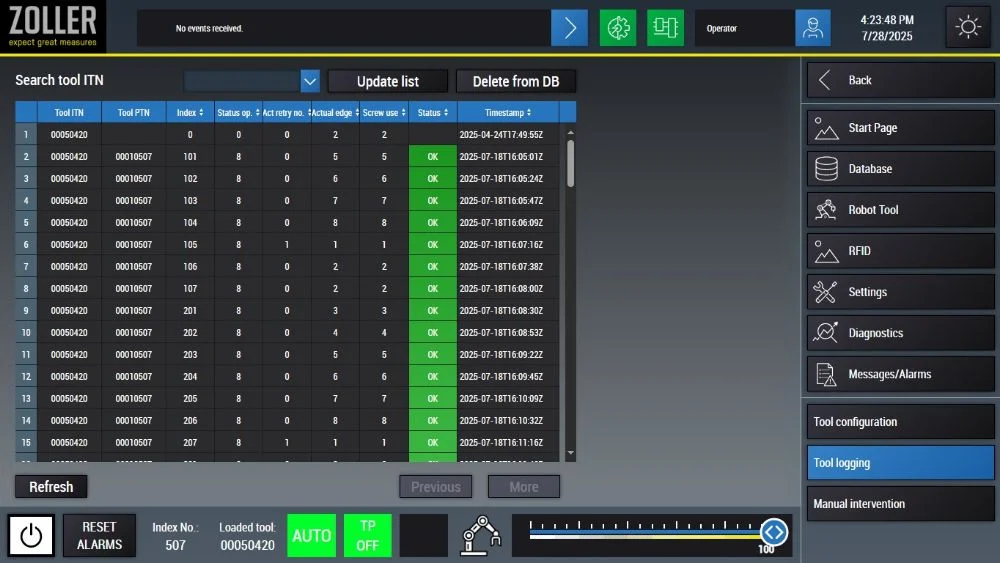
The database overview provides the operator with a reliable view of all relevant information on the currently loaded tool. It shows precisely how many indexable inserts have been used and how often they have already been changed - all automatically monitored and logged. Practical submenus take the operator to the configuration page, where all the necessary tool data can be entered and adjusted quickly and easily.
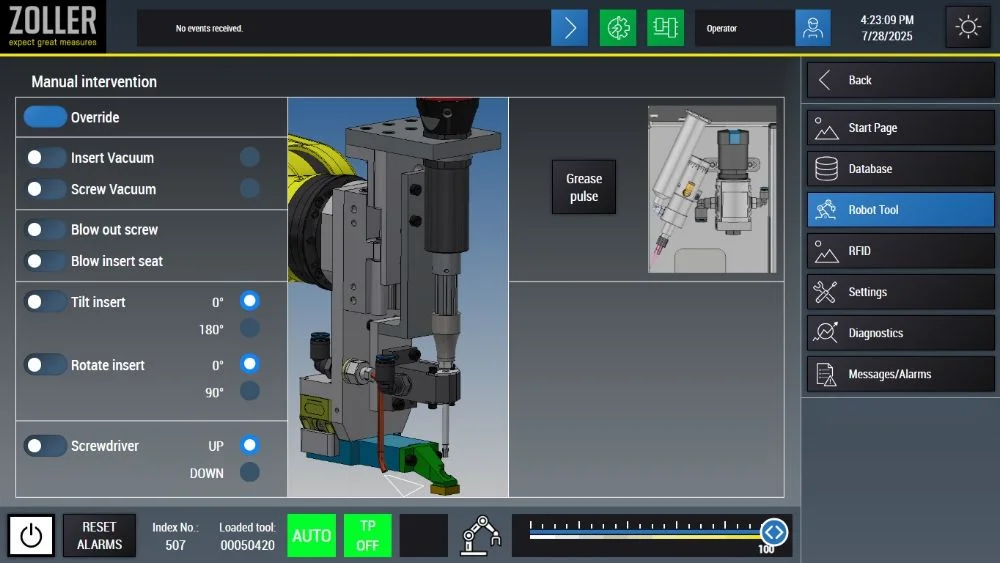
The control system's graphical user interface provides a clear overview of all available modules - from the robot controller to the rotary and swivel unit to the lubrication station for screws. Each module can be conveniently controlled manually, as can the robot directly via the software. Important status displays such as robot status, tool ID and messages remain visible at all times - even when switching between pages. This ensures maximum transparency and ease of use.
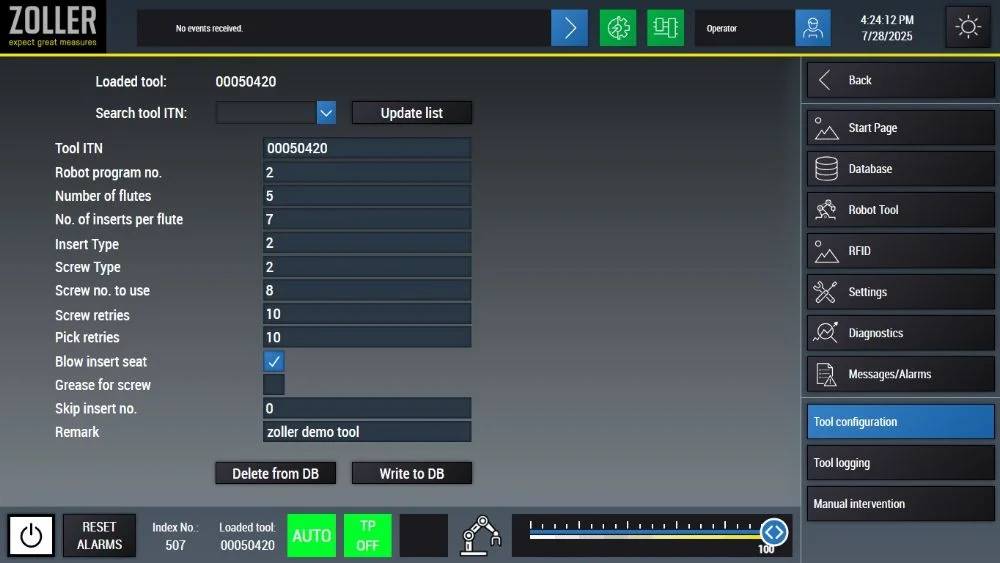
Tool configuration is simple for the operator: new tools can be created quickly and all the necessary information for the robot can be entered. Existing tools can also be easily edited and updated at any time. Tool data is managed directly and conveniently in the database using the "Delete from DB" and "Write to DB" buttons - tool data is deleted or added reliably and smoothly.

Select language
Europe